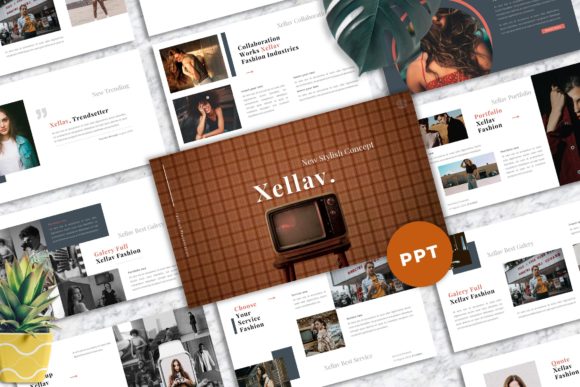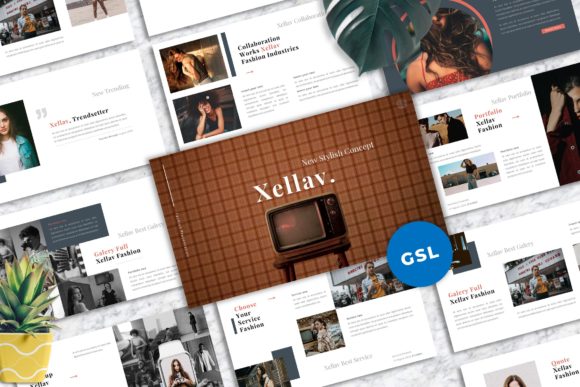
Xellav - Fashion Googleslide Templates: A Designer's Toolkit
In the world of presentation design, a template is more than a collection of slides; it's a strategic asset. The Xellav - Fashion Googleslide Templates package positions itself as a versatile tool for professionals who need to communicate ideas with clarity and a strong visual identity. Its core personality is one of clean, modern elegance. The layouts prioritize whitespace and structured typography, creating a calm and authoritative visual rhythm. This isn't a template that shouts; it guides the viewer's eye with intention, making it suitable for contexts where sophistication and professionalism are paramount.
Where This Template Truly Excels
The practical applications for Xellav extend far beyond its "fashion" label. Its strength lies in its adaptable foundation. For creative studios and agencies, it provides a polished framework for client pitches and portfolio showcases. Corporate environments can use it for internal reports, quarterly reviews, and strategic presentations that require a consistent, branded look. The design's focus on typography and usability makes it a reliable choice for marketers building campaign briefs or bloggers and content creators developing educational workshop materials. Even for personal projects, like a portfolio or a community proposal, the template offers a professional starting point that saves significant time.
Visual style is communicated through its 40 master slide layouts. The 16:9 wide screen ratio is the current standard for most displays, ensuring content looks native in meetings and webinars. The inclusion of picture placeholders and drag-and-drop image functionality is a critical practical feature. It means that replacing demo images with your own photography or graphics is an intuitive process, not a technical chore. The vector-based icons and unique mockup devices are particularly valuable for product-based businesses or designers presenting digital interfaces, as they scale cleanly and add contextual depth.
Making It Work: Practical Design Guidance
Adopting any new design asset requires a thoughtful approach. The first step is evaluating fit. Review the 40 layouts and ask: Do these structures support my content's flow? The professionally designed slides offer a hierarchy, but your message must dictate the order. For a brand presentation, you might use the title, team, and portfolio slides in sequence. For a data-heavy report, the slides with ample space for charts and bullet points will be more relevant.
Font management is a key part of implementation. The template recommends free web fonts, and the documentation file is your guide. Installing these fonts beforehand prevents layout breaks and ensures the modern typography renders as intended. While the template uses specific fonts, understanding their role is useful. The combination likely involves a clean sans serif font for body text, ensuring high readability, paired with a more distinctive font for headings to create visual interest. This contrast establishes a clear visual hierarchy, directing attention from main ideas to supporting details.
Customization is where you make it your own. The easy color change feature is vital for aligning the template with a brand identity. Instead of using the provided palette, input your own brand's primary and secondary colors. This single change transforms the template from a generic tool into a cohesive part of your brand's visual system. When adding your content, maintain the design's inherent balance. Avoid overcrowding slides; let the whitespace work for you. Use the picture placeholders with high-quality, relevant imagery. The demo images from Unsplash and Pexels are for preview; your own authentic photos or curated stock will have a far greater impact on your audience.
Finally, consider the broader context of your brand perception. A well-structured, visually consistent presentation does more than convey information—it builds recognition and professionalism. It signals to your audience, whether they are clients, colleagues, or investors, that you value clarity and care about details. The free support offered is a practical resource if you encounter technical hurdles. By treating Xellav - Fashion Googleslide Templates not as a finished product but as a customizable framework, you can create presentations that are both effective and authentically yours.